Phone
Astrophotography With an iPhone: What Actually Works and How to Do It
A phone camera has a sensor about the size of a fingernail and a lens about the size of a lentil. It won't match a mirrorless body with a fast prime. But iPhone astrophotography does work. On a tripod under the right sky, the phone will record the Milky Way, the aurora, a Moon–planet pairing over a skyline, a lunar eclipse, a short ISS trail and, held to a telescope eyepiece, craters and Saturn's rings. You need to know which subjects suit the phone and what the Camera app does without telling you.
At a glance
- Settings: tripod, Night mode dial at Max (30 s once the phone senses it's still), flash off, main 1× lens, ProRAW on, focus locked on a bright star or the Moon.
- Best subjects: aurora, twilight conjunctions, the Moon at the terminator, the Milky Way core from a Bortle 1–4 site, a lunar eclipse.
- Worst subjects: planets, which only show as points, and deep-sky objects, unless the phone is on a telescope.
- The hard limit: a single iPhone exposure is about 1 s. Every "30-second" phone photo is a stack.
- Afterwards: edit the RAW, go easy on the noise reduction, and don't add stars that weren't there.
What the iPhone camera actually is
Recent Pro models (iPhone 15 Pro through 17 Pro) have a 48-megapixel main camera behind a 24 mm-equivalent ƒ/1.78 lens. The sensor is quad-Bayer, which means groups of four photosites are binned in normal use. So the default photo is 24 MP on the iPhone 15 and later, and 48 MP only when you ask for it. The binned pixels are why night shots are usable. The telephoto is a 5× lens at 120 mm on the 15 Pro Max and 16 Pro, and a 4× at 100 mm on the 17 Pro, which adds an "optical-quality" 8× at 200 mm by cropping its 48 MP sensor. Both are ƒ/2.8 on much smaller sensors. Anything past the longest lens button (25× or 40× on the slider) is just a crop of the same pixels.

.jpg)
The limit that matters most is that the sensor's longest single exposure is about 1 s. You can't set a 15-second shutter in any app. What the phone calls a long exposure is a burst of short frames that the software lines up and adds together. That's how Night mode works, how Pixel's astrophotography mode works, and how every third-party "long exposure" app works too.
Night mode, and what the Camera app won't do
Night mode turns on by itself when the Camera app detects a dark scene. The icon turns yellow and shows a number of seconds. Tap it and a dial appears above the shutter with Auto and Max positions. Hand-held, Max gives you 3–10 s. Put the phone on a tripod, or wedge it against a rock, and it senses that it's still and extends the dial to 30 s. With the built-in app, that 30 s setting is what you use for astrophotography. If you nudge the phone during the countdown, the capture stops early. Night mode doesn't work at all while Flash or Live Photos is on, and that's easy to miss.
What the Camera app does not offer, through iOS 26 on every iPhone up to the 17 Pro, is a shutter speed or an ISO. You get an exposure-compensation slider (tap and hold to lock AE/AF, then drag the sun icon). That's enough for the Moon and twilight, but you can't set "15 s at ISO 1600". Apple has announced Pro controls for the iPhone 18 Pro with iOS 27: manual aperture on its ƒ/1.48–ƒ/4 main camera, shutter speed, white balance and a histogram. ISO is not on the list. The phone ships Sep 18, 2026 and was untested at the time of writing.
iPhone astrophotography apps with manual controls
Third-party apps give you the controls Apple leaves out: shutter up to the 1 s limit, ISO, manual focus, white balance and RAW. Most of them also stack frames to get past that limit.
- Halide (Mark III): manual shutter, ISO and white balance, focus peaking, shutter- and ISO-priority modes. Single frames only.
- ProCamera: manual controls plus a LowLight Plus mode that merges up to 64 frames. Saves RAW and ProRAW.
- NightCap Camera: made for astrophotography. It has Stars mode (a 3 s timer, then a 10 s stacked exposure), Star Trails (runs 15 min or more), ISS mode (the whole pass in one frame), Meteor mode (a photo every 5 s, empty frames discarded), an aurora time-lapse, and an ISO Boost to 4× the normal range.
- Camera+: Manual mode with shutter and ISO sliders, a Slow Shutter mode for stacked exposures, RAW.
On Android, Google's Pixels do the most with stacking. On a tripod, Night Sight switches to astrophotography mode and runs up to fifteen 16-second frames, about four minutes in all, aligned so the stars stay points. Samsung's Expert RAW app has an Astrophoto mode with a multi-minute stack and a constellation overlay. Both give a cleaner Milky Way than an iPhone's 30 s.
| Control | Built-in Camera (iOS 26) | Manual app |
|---|---|---|
| Shutter speed | No. The dial sets total stack time only. | Yes, to the 1 s limit. Longer by stacking. |
| ISO | No | Yes |
| Focus | Tap. Hold for AE/AF lock. | Manual slider, peaking, infinity stop |
| Longest capture | 30 s Night mode on a tripod | Minutes, stacked (NightCap, ProCamera, Camera+) |
| RAW | ProRAW on Pro models (12 MP in Night mode) | DNG and ProRAW |
What you need for iPhone astrophotography
- A tripod and a phone clamp that doesn't wobble. If the phone moves, the 30 s option never appears.
- A remote shutter. Either volume button fires the Camera. So does the volume control on wired EarPods, an AirPods stem press, or the Camera Remote app on an Apple Watch (3 s delay by default). The Camera's own 3 s or 10 s timer does the same job.
- Flash off, Live Photos off, Night mode dial to Max.
- Focus locked. Tap and hold on the Moon, a planet or the brightest star until AE/AF Lock appears. On an empty sky, lock on a distant light and reframe.
- ProRAW on (Settings → Camera → Formats) on Pro models, or RAW/DNG in third-party apps. Use the main 1× lens, and bring a power bank, because Night mode stacks drain the battery fast in the cold.
Still Dark runs on the phone you're shooting with. Use the 360° sky and its AR mode to find the target before you frame it. The Sun & Moon card gives civil, nautical and astronomical twilight, so you know when the sky is dark enough for 30 s and when it's still bright enough for a pairing. Camera Tools gives a starting exposure for each subject and the field of view of the 24 mm lens or the telephoto.
Subject by subject
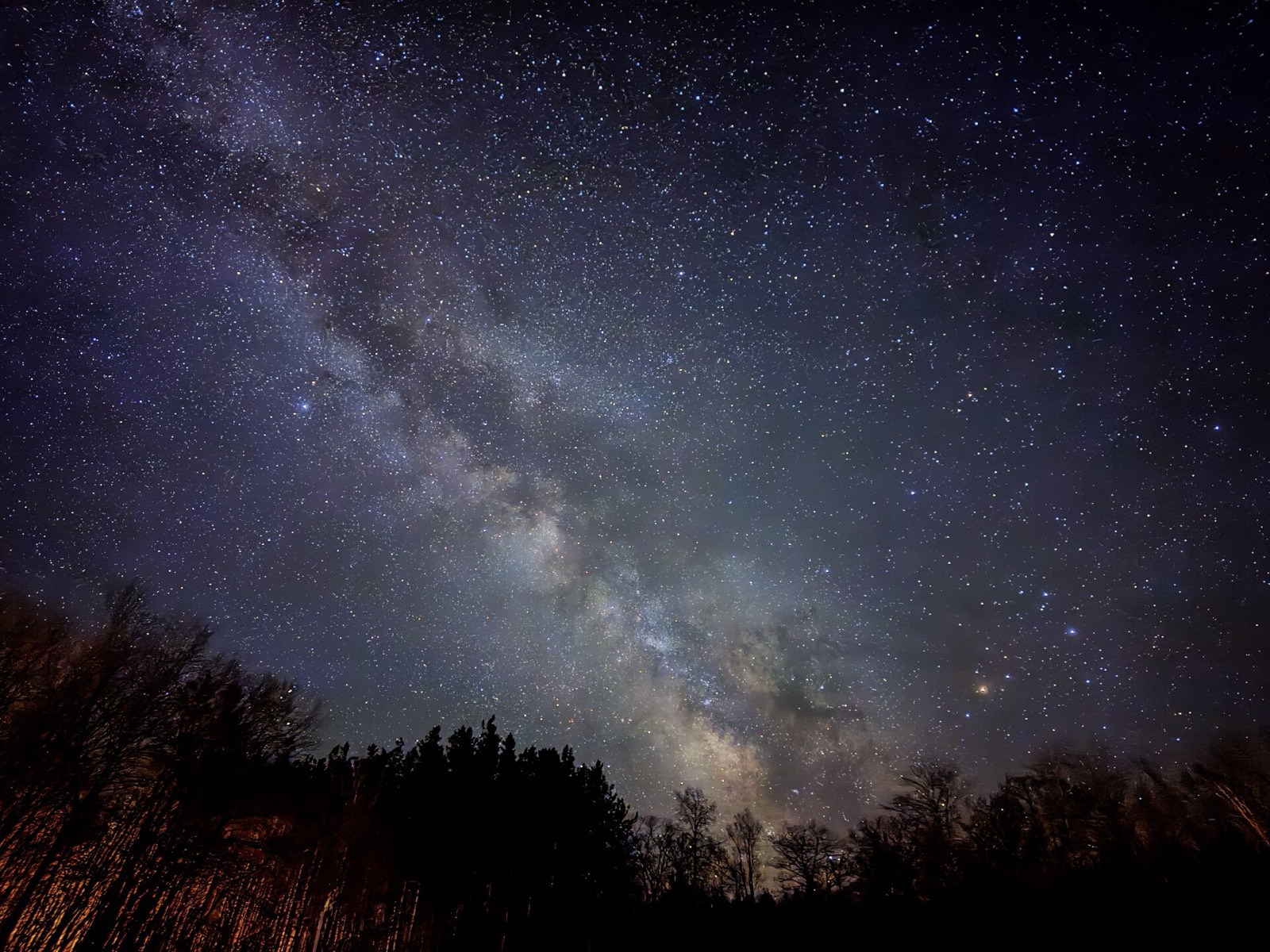
The Milky Way. Yes, if you have a Bortle 1–4 sky, the core above roughly 20°, no Moon, and a tripod. Night mode at 30 s on the main lens records the core as a soft, grainy band that you can clearly recognise. A manual app stacking 1 s frames at ISO 1600–3200 gives about the same result. Frame it low over something on the horizon. You'll get noise and muted colour, and you won't get dust lanes. Timing and direction are in the Milky Way guide.
Star trails. Not with the Camera app, which has no interval mode. NightCap's Star Trails mode keeps stacking for as long as you leave it running. A run of 15 min gives short arcs, and 60–90 min gives circles around Polaris.
The Moon. The Moon is bright enough. The problems are dynamic range and size. Auto exposure sees a mostly black frame and overexposes the Moon to a white disc, so tap and hold on it to lock AE/AF, then drag the exposure slider down until you can see the maria. Use the longest real lens button and don't zoom past it. At 120 mm the Moon is about 130 pixels across, and at 200 mm roughly twice that. Shoot near first or last quarter, when the craters along the terminator cast shadows. Without a telescope, a phone can show that the Moon has craters and not much more. For real detail, put the phone on a telescope with an eyepiece adapter. The telescope gives you the focal length, and a 30 s video with the sharpest frames stacked is better than any single shot.
Planets. Without a telescope they are points and nothing else. Through an eyepiece adapter the phone shows Jupiter's belts and Saturn's rings, best from stacked video.
Conjunctions and Moon–planet pairings in twilight. This is the phone's best subject, because its weaknesses don't matter here. The targets are bright enough for 1–3 s hand-held or 10 s on a tripod. The twilight sky has colour and enough light to show the landscape, and the 24 mm lens fits the pair and a skyline in one frame, close to how you saw it. Lock exposure on the sky, not the Moon, and shoot every few minutes as it gets darker. One of those frames will have the sky and the pair in balance. Dates and separations are in the conjunction guide.
Sky Events → Conjunctions lists upcoming Moon–planet and planet–planet pairings with separation and best time. Sky Events → Satellites gives ISS passes with appear/peak/disappear times, direction, altitude and magnitude, so you can frame the arc before it starts. You can set a reminder for either.
The ISS. Yes, as a streak. A pass lasts 4–6 min. A 30 s Night mode frame on a tripod records a bright dash across the stars, and NightCap's ISS mode captures the whole arc. Pick a pass brighter than magnitude −2 with a peak above 40°. There's more on choosing one in the ISS pass guide.
Aurora. Phones are good at this. The aurora is bright and it moves, so use short stacks. Set Night mode to 3–10 s for an active display and 10–30 s only for a faint glow, with the main lens and focus locked on a star. Pixels and Samsungs do the same with Night Sight and Night mode. A four-minute astro stack is far too long for something that moves.
Meteor showers. The odds are poor, but not zero. A meteor lasts a fraction of a second and the small aperture catches only the bright ones. What works is an interval app running all night (NightCap's Meteor mode shoots every 5 s and drops empty frames), pointed 40–60° up and 30–40° from the radiant. Most of the frames will be empty.
Eclipses. A lunar eclipse is fine. You shoot it like the Moon and raise the exposure as the disc reddens. A rising eclipsed Moon over a skyline is a good phone subject (timings and phases are in the lunar eclipse guide). A solar eclipse needs a certified solar filter over the phone's lens for every partial phase. Concentrated sunlight can damage the sensor, and an ND filter doesn't block infrared. Remove the filter only during totality, inside the path. Cover every rear lens, because the phone switches between them on its own.
| Subject | Achievable? | Settings |
|---|---|---|
| Milky Way core | Yes, Bortle 1–4, tripod | Night mode 30 s, 1× lens, ProRAW. Or stacked 1 s frames at ISO 1600–3200. |
| Star trails | Only with a stacking app | NightCap Star Trails, 15–90 min, face north |
| Moon detail | Limited on its own. Good through a telescope. | Longest real lens, AE/AF lock, exposure down, terminator. Or eyepiece adapter + video. |
| Planets | Points only. Discs through a telescope. | Eyepiece adapter, exposure lock, stack video |
| Twilight conjunction | Yes. The best subject. | 1–3 s hand-held or 10 s tripod, lock on the sky, shoot a series |
| ISS pass | Yes, a short trail | Night mode 30 s on tripod, or NightCap ISS mode |
| Aurora | Yes, phones do well | Night mode 3–10 s active, 10–30 s faint, tripod |
| Meteors | Poor odds | Interval app, 5 s cadence, 40–60° altitude |
| Lunar eclipse | Yes | As the Moon, exposure raised through totality |
| Solar eclipse | Partial phases with a filter only | Certified solar filter over every lens. Take it off only in totality. |
Editing on the phone
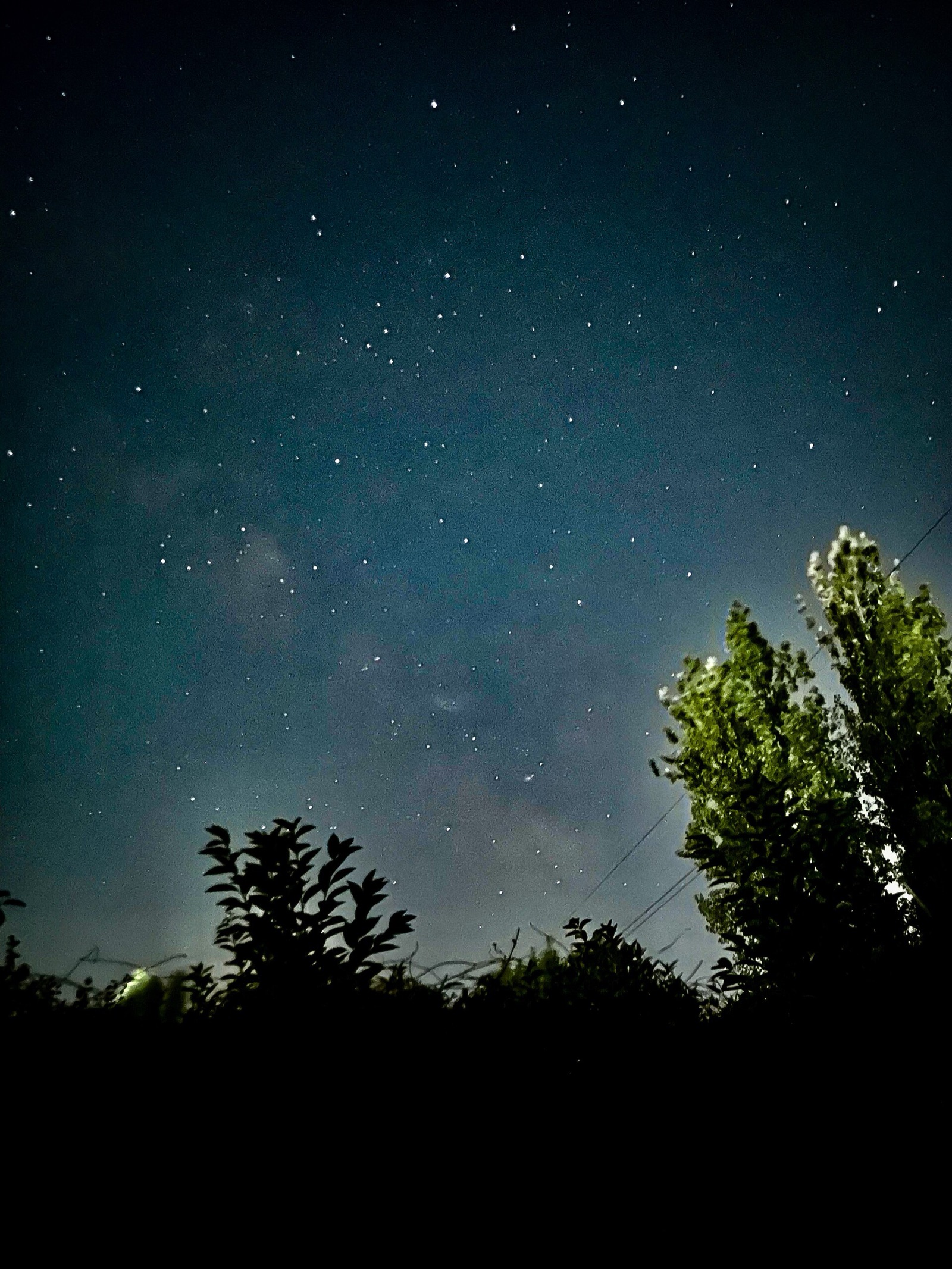
Work on the ProRAW or DNG. In Lightroom mobile, pull the blacks down first, because phone night frames come out lifted and grey. Add contrast rather than clarity. Use only a little Noise Reduction and keep Detail high so the stars stay sharp. Lightroom's AI Denoise reached the mobile app in August 2026, but at the time of writing it runs only on M-series iPads with 8 GB of memory and doesn't process ProRAW, which Apple partly demosaics before saving. Snapseed's Tune Image and Selective tools do the same job free. Leave saturation alone, because the Milky Way is not purple. Turn off any "enhance sky" feature that adds stars or swaps the sky. A soft photo of the real sky is better than a sharp one with stars that weren't there.

Common mistakes
- Hand-holding and wondering why the dial stops at 10 s. The phone has to be still before it offers 30 s.
- Zooming past the last real lens. 25× or 40× is a crop of the same pixels.
- Letting the Moon auto-expose. Lock the exposure and drag it down.
- Expecting a manual app to hold the shutter open 30 s. The hardware stops at 1 s, so the apps stack.
- Pointing an unfiltered phone at the Sun, or filtering only one of three lenses.
FAQ
Can an iPhone photograph the Milky Way?
Yes, from a dark site on a tripod. Night mode at 30 s on the main lens shows the core as a soft, noisy band. You'll be able to recognise the Milky Way, but the photo won't be good enough to print large.
How long an exposure can an iPhone take?
A single exposure is limited to about 1 s. Night mode reaches 30 s on a tripod by stacking short frames, and third-party apps stack for minutes the same way. No app holds the shutter open for 30 s.
Does the iPhone camera have manual shutter speed and ISO?
Not through iOS 26 on any iPhone up to the 17 Pro. Apple has announced shutter speed, aperture and white balance as Pro controls on the iPhone 18 Pro with iOS 27, with no ISO listed. Halide, ProCamera, NightCap and Camera+ give shutter and ISO on any recent iPhone.
Can I photograph a solar eclipse with my iPhone?
Only with a certified solar filter over the lens for all partial phases, removed only during totality. Concentrated sunlight can damage the sensor, and sunglasses or ND filters don't block infrared.
Sources and further reading
- Apple Support — Use Night mode on your iPhone (automatic activation, the Auto/Max dial, tripod advice, flash and Live Photos disabling it).
- Apple Support — About Apple ProRAW (Pro models from iPhone 12 Pro; 12 MP or 48 MP; 48 MP only on the main camera at 1×; Night mode ProRAW at 12 MP).
- Apple Support — iPhone 17 Pro tech specs and iPhone 16 Pro tech specs (24 mm ƒ/1.78 main camera; 5× 120 mm and 4× 100 mm / 8× 200 mm ƒ/2.8 telephotos).
- Apple Newsroom — Apple debuts iPhone 18 Pro (ƒ/1.48–ƒ/4 variable aperture; Pro controls for aperture, shutter speed, white balance and histogram; iOS 27 on Sep 14, availability Sep 18).
- Halide Support — Why is the maximum shutter speed limited to one second? (the 1 s hardware limit on recent iPhones).
- NightCap Camera — Photograph stars, meteors and satellites with NightCap (Stars, Star Trails, ISS and Meteor modes).
- Google Research — Astrophotography with Night Sight on Pixel phones (16 s frames, up to 15 frames, why stacking).
- American Astronomical Society — How to shoot solar-eclipse images and videos (a solar filter over the phone lens for partial phases).