Moon photography planner
Plan a Moon or Sun alignment before you go.
Still Dark shows when and where the Moon will rise and set for any place and date, and where to stand so it lines up with a building, a tree or a mountain. Pick your camera and lens and it tells you how big the Moon will be in the frame. It runs on iPhone, iPad and Mac.
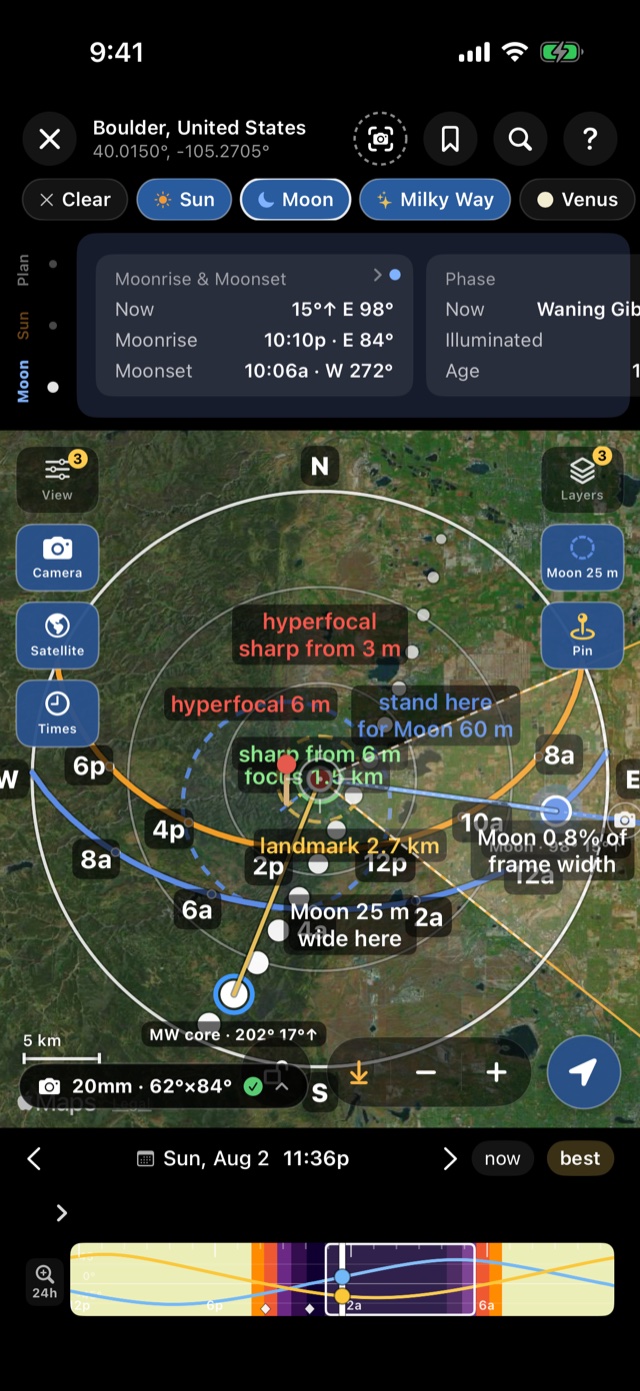
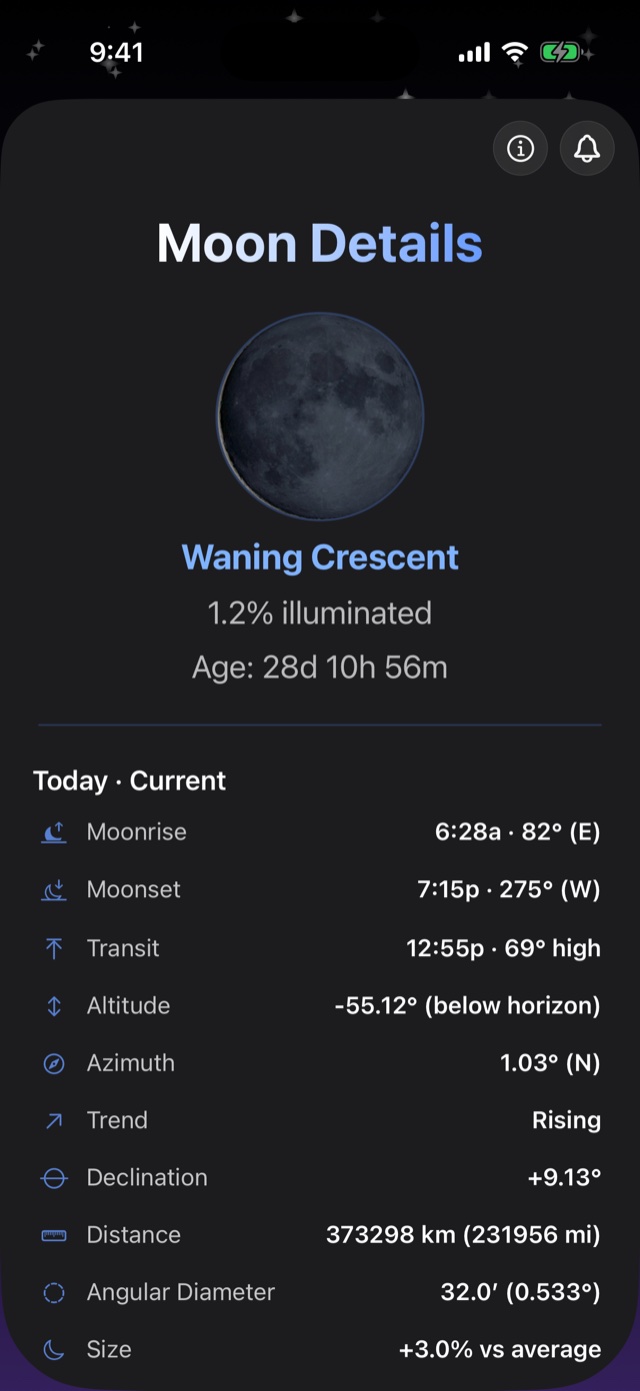
What you can plan
- A big Moon behind a landmark. Moonrise and moonset times and directions, to the minute, and the line from you to the landmark on the map.
- The Sun through a gap or along a street. Sunrise and sunset directions for any date, so you can find the days the Sun lines up.
- How big the Moon will look. With the Moon selected, the planner labels where to stand for a given Moon size and how much of the frame it will fill with your lens.
- The light around it. Golden hour, blue hour and twilight times for the same place and date, and the Moon's phase and brightness.
How to plan a Moon alignment in Still Dark
1. Pick the place. Open the planner and pan the map to the area you want to shoot. The observer pin only moves when you press Observe from here, so you can look around the map without changing the numbers.
2. Pin the landmark. Turn on Camera, pick your body and lens, and press Pin on the building, tree or peak. The green line is the alignment from you to it.
3. Choose the Moon and the date. Pick the Moon chip and set the date at the bottom. The Moon's path is drawn across the map with hour marks. Step through the days until the moonrise direction lines up with the green line.
4. Check the size and the horizon. The planner shows how big the Moon will be at your distance. Use the timeline to see how high the Moon is at each minute, and check the horizon on satellite view or in daylight.
5. Save it. The bookmark saves the place, date and subject as a plan, and a reminder tells you when to leave.
The numbers behind a big Moon
The Moon is always about half a degree wide, so how big it looks next to a landmark depends only on how far back you stand. At one mile from the landmark the Moon covers about 46 feet of it. At two miles it covers about 92 feet. A longer lens makes both bigger in the frame but doesn't change how they compare. That's why the planner asks for distance first and lens second.
The best window is usually the few minutes after moonrise near full Moon, when the sky still has some light and the Moon is low enough to sit beside the landmark. The full guide goes through the timing, the settings and what goes wrong: How to photograph a huge Moon behind a landmark.
Free and Pro
The free version covers today for any place you choose, including the planner and the Moon's times. Planning a future date, the camera tools and saved plans beyond two need Pro. See what's in each.